The image and recognised text are separate layers
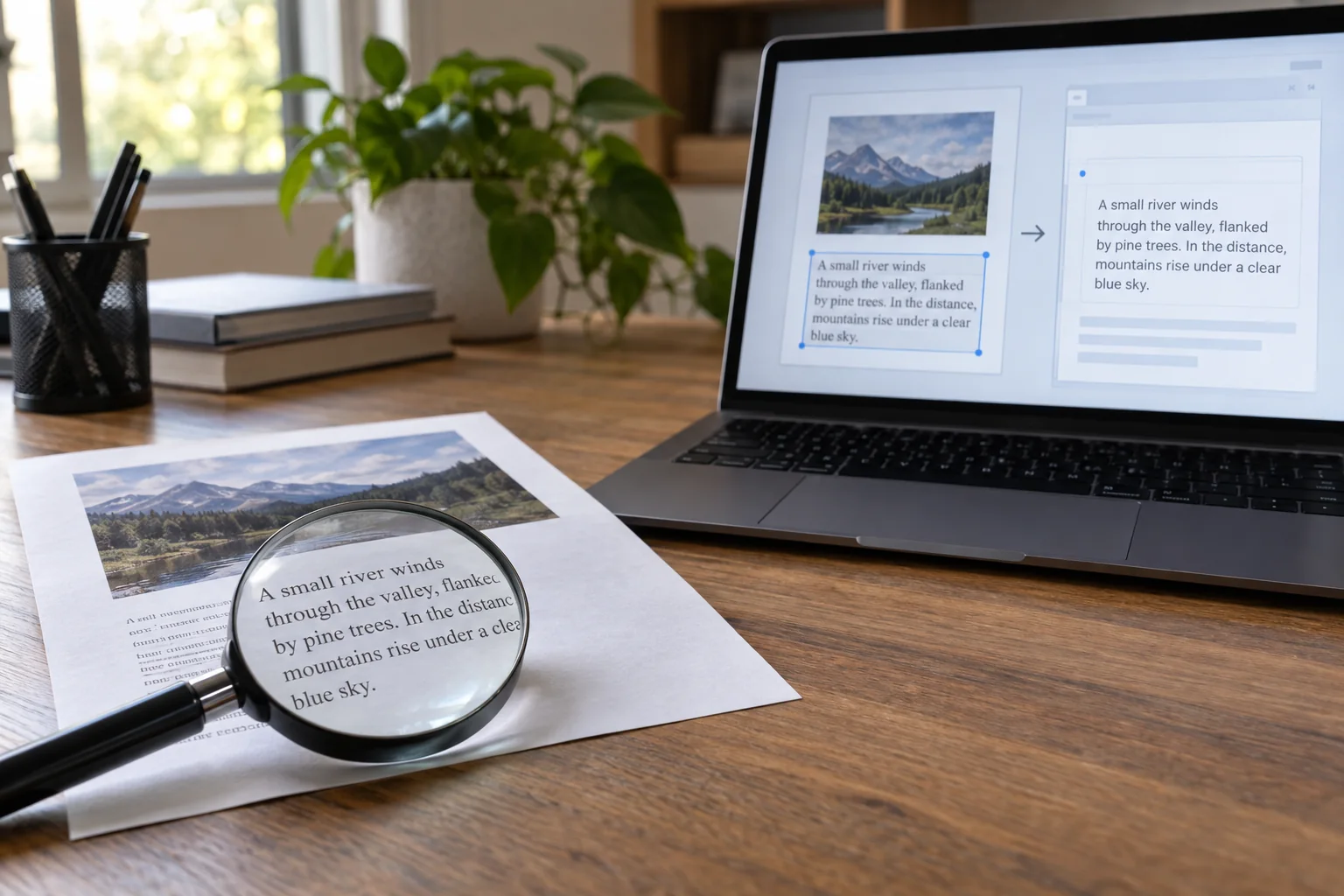
Open a scan, select a short passage and paste it into a blank document. Compare the pasted characters with the visible page image. A good-looking scan can contain an inaccurate text layer, and finding one simple search term does not establish the accuracy of the rest of the document.
Also confirm that the intended pages were processed. Some files already contain text on certain pages and images on others, leaving a mixed document only partly searchable. Test several pages rather than accepting the first successful search result as proof of complete coverage.
Choose difficult details deliberately
Compare names, reference numbers, dates and amounts particularly carefully. Similar-looking characters, small print and weak contrast can produce plausible mistakes. A letter substituted for a digit is easier to overlook while skimming than a completely meaningless word.
For tables, inspect row and column relationships as well. A correctly recognised number can be pasted in the wrong reading order. Do not use extracted text unchecked as the basis for an automatic calculation or a subsequent business decision. Compare the consequential fields with the image or original document.
Improve the language setting and source
Select an appropriate recognition language if the application provides that option. Multilingual documents may require a corresponding configuration. This does not replace review, but can avoid an obviously unsuitable treatment of accented characters and words.
When errors are widespread, inspect the source image. Skewed pages, shadows near folds, cropped edges and blurred small text should ideally be corrected in the scan. Repeating OCR on the same poor image is not automatically an improvement. Make a new capture where necessary and retain the earlier source file until the comparison is complete.
Make corrections in a controlled way
Some PDF applications offer review of uncertain recognised words; Adobe documents one such correction process. Establish whether your chosen tool changes only the text layer or also the visible document. That distinction matters when the purpose is to preserve an unchanged image of an original.
Save an edited version with a clear identity instead of overwriting the only source without a way back. If text is transferred into another document, make it clear internally which fields have been checked. The next person should not have to guess whether a value was merely recognised automatically or actually compared with the source.
Test the search you will use later
Search for a full name, a word containing a special character and a reference number you expect to use. Confirm that matches lead to the intended page. Across a collection, understandable file names remain useful too; full-text search should not be the only route to an important record.
Finally, reopen the saved file and test it again. This confirms that the corrected version was actually stored. Retain originals according to the requirements for your documents. A functioning search feature alone does not determine whether the paper can be discarded, and OCR accuracy should be judged separately from that retention decision.